
Controls
The controls are the original's: left-click and drag to select, right-click to order, the command panel and its hotkeys for the rest, the arrow keys, the screen's edges and the minimap to move the view. The default hotkeys are the CD's own, read from its EMPIRES2.EXE when the data is prepared.
Mouse and keyboard
| Control | Does |
|---|---|
| Left click, left drag | Select; drag a box to select many |
| Ctrl or Shift with a click | Add to the selection |
| Double click | Select every unit of that kind on screen |
| Right click | Order: move, gather, build, attack, according to what is under the pointer |
| Alt with a right click | Garrison into a building (or turn on One-click garrisoning in Options) |
| Shift with an order | Queue it after the ones before |
| Shift with a training button | Train five |
Mouse wheel, or = and - | Zoom in and out about the pointer |
| Ctrl with the mouse wheel | The original's wheel hotkeys: the Town Center, the next idle villager |
With Two-button mouse interface off in Options, the left button orders as well: with your units selected, a left click gives the order the cursor shows, or sends them to open ground, and selects anything else.
The zoom is OpenAoK's own; everything else it adds is listed in Improvements on the original.
Touch
On Android phones and tablets, iPhones and iPads, and the Switch's screen, the game is played as with a mouse:
| Gesture | Does |
|---|---|
| Tap | Left click |
| Hold still for a moment | Right click (the device vibrates where it can) |
| Drag one finger | Left drag: box-select units, lay a wall |
| Drag two fingers | Scroll the map |
| Pinch | Zoom in and out |
While a building is being placed, the finger slides it and lifting places it. A press on a text field brings up the system keyboard. A mouse, a trackpad or a hardware keyboard works as on a desktop; on Android the back gesture is Escape.
Nintendo Switch
The controller plays as a mouse and the game's own hotkeys:
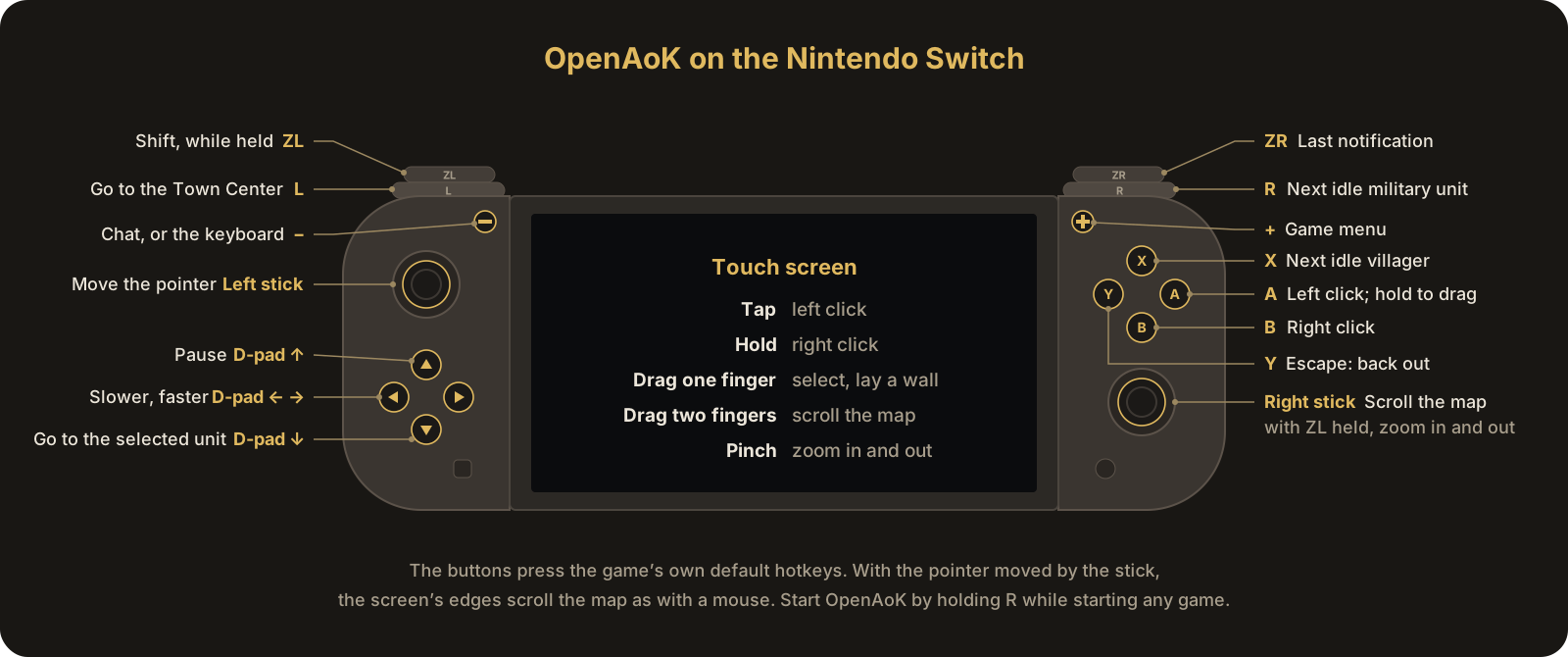
| Control | Does |
|---|---|
| Left stick | Moves the pointer, the faster the further it is pushed |
| Right stick | Scrolls the map; with ZL held, zooms in (up) and out (down) |
| A | Left mouse button; held while the pointer moves, a drag |
| B | Right click |
| X | Next idle villager |
| Y | Escape: backs out of whatever is half done |
| L | Go to the Town Center |
| R | Next idle military unit |
| ZL, held | Shift: add to a selection, queue orders, train five |
| ZR | Go to the last notification |
| + | Game menu |
| − | Chat |
| D-pad up | Pause |
| D-pad down | Go to the selected unit |
| D-pad left, right | Slower, faster |
With the pointer moved by the stick, the screen's edges scroll the map as with a mouse. Chat and a saved game's name bring up the system keyboard.